How it works
How to plan a week of meals with MealPrepPro
From download to a stocked fridge in seven steps. You can plan your first week in one short sitting.
What is MealPrepPro?
MealPrepPro (listed on the App Store as “Meal Prep - Weekly Planner”) is an iPhone and iPad meal planning app from J&H Technology. It combines a weekly meal planner, a library of 1,000+ recipes with calories and macros on every recipe, 22 dietary filters including halal, kosher, keto and gluten-free, and a shopping list that builds itself from your plan. It is free to download, with an optional Premium subscription.
Step 1
Download MealPrepPro
Get MealPrepPro free from the App Store on iPhone or iPad (iOS 15.1 or later). You can start without creating an account.
Step 2
Tell it about your household
The short setup asks about household size, cooking experience, how much time you have to prep, dietary preferences and goals.
Step 3
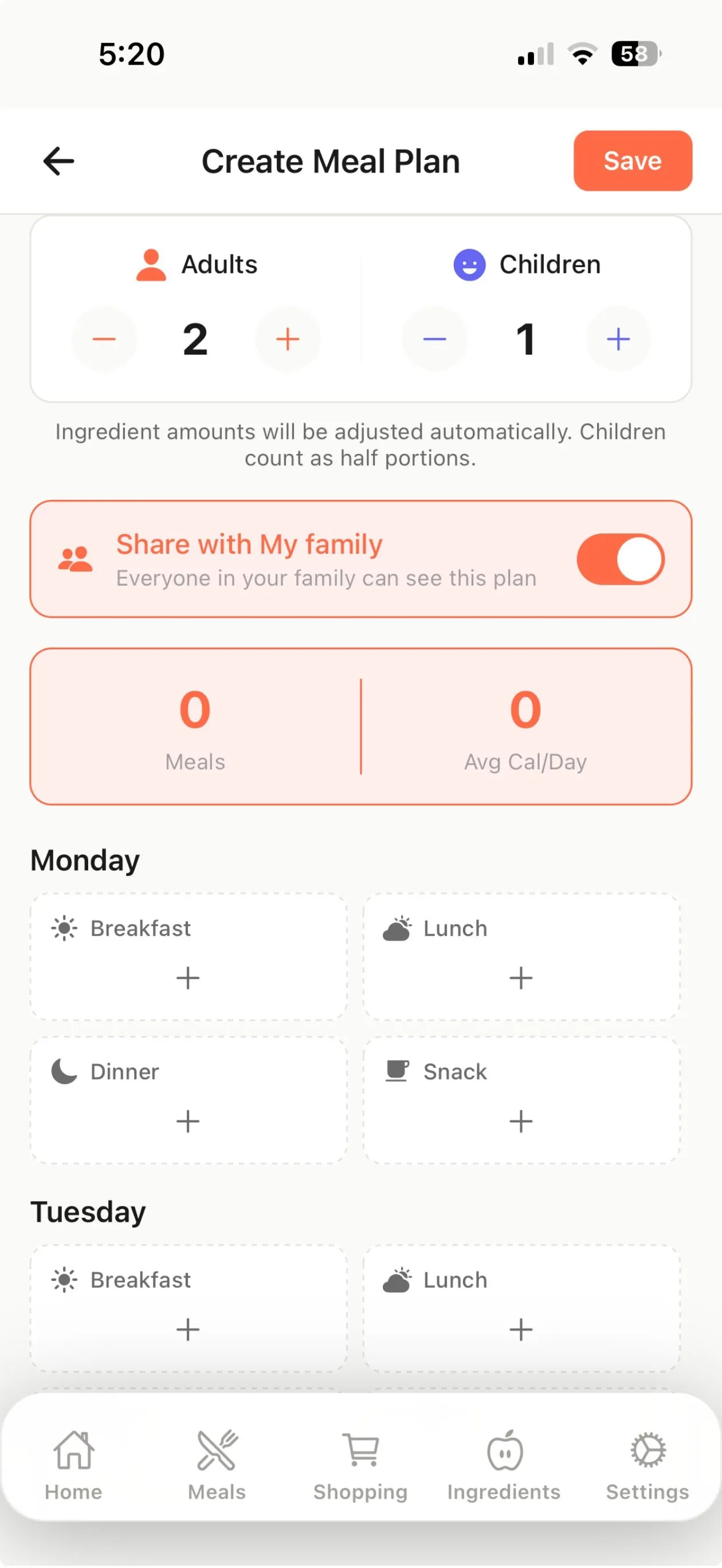
Build your week
Tap breakfast, lunch, dinner and snack slots to add recipes, or let the Premium meal plan generator fill the week from your calorie target, budget and leftover settings.
Step 4
Check the nutrition
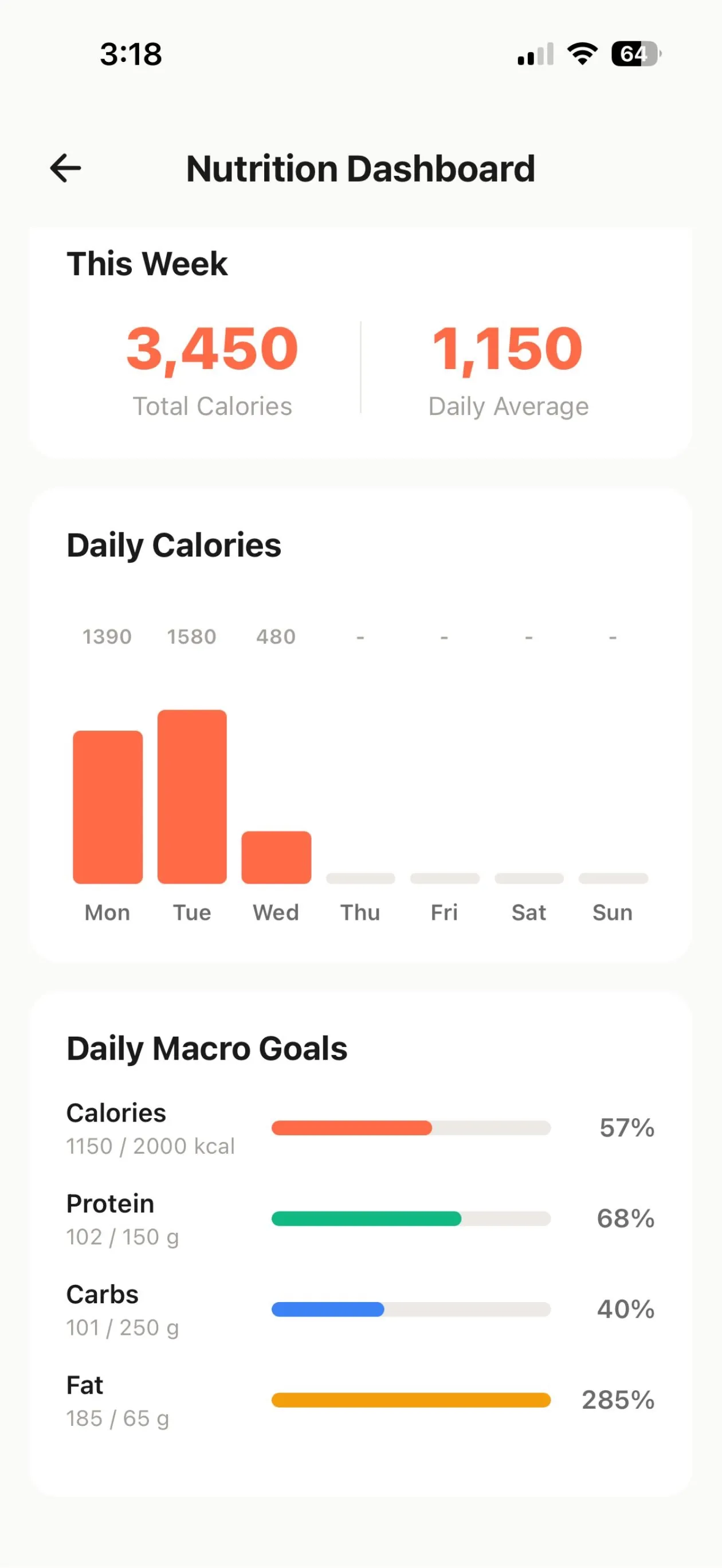
Every built-in recipe shows calories, protein, carbs and fat per serving. Premium adds a dashboard that tracks the week against your goals.
Step 5
Shop from one list
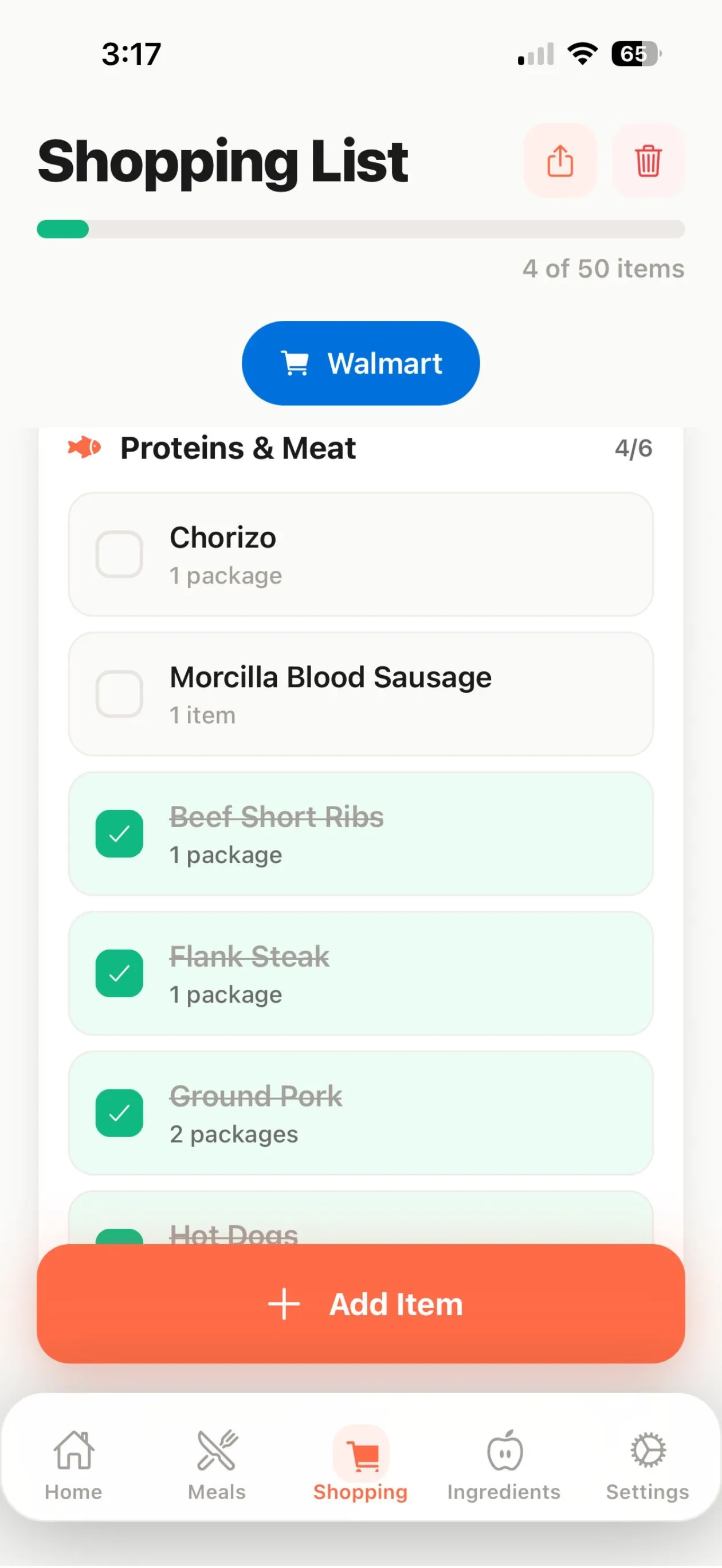
MealPrepPro combines every ingredient into a shopping list grouped by store category. Check items off in the store, or send them to a Walmart cart with Premium in the US.
Step 6
Prep and cook
Use cook mode for step-by-step instructions with timers and a screen that stays awake. Set a weekly reminder for your prep day.
Step 7
Share and repeat
Share the plan with your family group, rate what you cooked, and reuse favorites next week.
New to meal prep? Start with our beginner’s guide or the 2-hour Sunday prep routine.
Plan your week in minutes
Free to download on iPhone and iPad. Upgrade to Premium only if you want the extra tools.